
Lightweight Patch Notes Marketing: Turn Every Steam Update Into Visibility, Re-Engagement, and Reviews (Without Spamming)
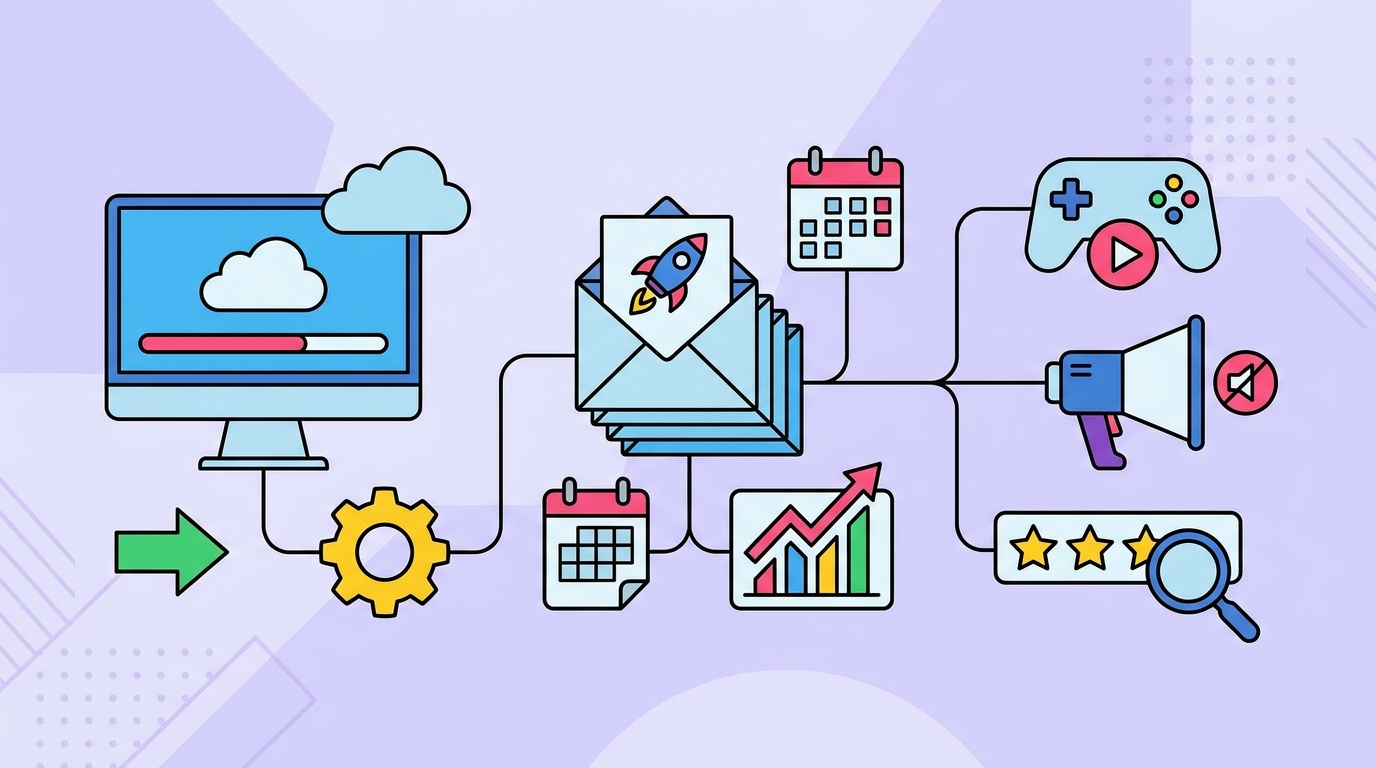
Post-launch support is one of the few levers indie teams can reliably pull to earn repeat Steam visibility, bring lapsed players back, and build review momentum.
The problem is that many patch notes are written like internal dev logs, posted inconsistently, and promoted in a way that either gets ignored—or annoys players.
This guide shows a lightweight, repeatable system for 3–12 months of support: pick a clear update theme, write outcome-first notes, choose the right Steam surface (Event vs. announcement), time around sales/fests, message with opt-in segmentation, and measure what actually moved.
What “lightweight” means (and why it works)
A lightweight system is one you can run every 2–6 weeks without derailing development.
It relies on a consistent template, a predictable cadence, and simple instrumentation so you can learn which updates create visibility and which just create noise.
- One theme per update (QoL, content, balance, stability).
- One primary Steam Event for meaningful updates; minor fixes roll up.
- One reactivation sequence across email/Discord/social with opt-in segmentation.
- One measurement loop: UTMs + Steam metrics deltas (wishlists, reviews, page traffic).
Step 1: Choose an update theme players can understand in 3 seconds
Players don’t wake up wanting “v1.0.7.” They return for a reason: smoother play, new stuff, fairer balance, or fewer crashes.
Pick a single theme and name it like a mini-release. This reduces cognitive load and makes your Steam Event headline do real work.
Theme menu (use these repeatedly)
- Quality of Life (QoL): UI, pacing, save systems, readability, accessibility, controls.
- Content Drop: new levels, modes, items, enemies, story beats, challenges.
- Balance Pass: difficulty curves, economy tuning, weapon/skill reworks.
- Stability & Performance: crashes, frame pacing, load times, memory leaks.
- Community Requests: top 3–5 most-requested features (with credit).
How to decide the theme (10-minute triage)
- Scan your top 20 recent reviews: what’s praised and what blocks recommendations?
- Check bug reports: which issues cause quits, refunds, or “I’ll come back later” comments?
- Look at Steam tags and audience: does your core promise need reinforcement (e.g., “cozy,” “tactical,” “hardcore,” “story-rich”)?
- Pick the theme that best improves player outcomes this cycle.
In GameTrowel, you can centralize this input by tracking press/creator mentions and community chatter via media monitoring, then turning recurring pain points into your next update theme.
Step 2: Write patch notes that highlight outcomes, not internals
Great patch notes read like: “Your run is less likely to die to RNG,” not “Adjusted seed variance.”
Keep the technical detail, but lead with the player-facing benefit so lapsed players immediately see why it’s worth reinstalling.
Patch note structure template (copy/paste)
Update Name: [Theme] — [Player benefit in 6–10 words]
Who this is for: [e.g., new players / returning players / hardcore endgame]
Top 3 outcomes:
- [Outcome #1: faster, clearer, smoother, fairer, more variety]
- [Outcome #2]
- [Outcome #3]
Highlights (read this if you only read one section):
- [Feature/fix] — what you’ll notice
- [Feature/fix] — what you’ll notice
- [Feature/fix] — what you’ll notice
Full changelog:
- QoL: ...
- Content: ...
- Balance: ...
- Performance/Stability: ...
- Bug fixes: ...
Known issues: [1–3 items max, with workarounds if possible]
What’s next: [one sentence teaser + link to roadmap/Discord]
Value-statement rewrites: turn “bug fix” into “player benefit”
Use this simple formula: Fix → What you’ll feel → When it matters.
- Before: “Fixed a bug where saves could corrupt after Alt+F4.”
- After: “Your saves are now protected if you quit abruptly—no more losing progress after a crash or fast exit.”
- Before: “Adjusted enemy pathfinding around doors.”
- After: “Enemies no longer ‘jitter’ at doorways, so stealth chases feel consistent and readable.”
- Before: “Fixed tooltip overlap on 1440p.”
- After: “Tooltips are readable at higher resolutions, making builds easier to plan mid-run.”
- Before: “Optimized VFX batching.”
- After: “Big fights should run smoother with fewer frame spikes, especially on mid-range GPUs.”
Mini-template for each bullet (keeps notes scannable)
- [Change] — [What you’ll notice] (optional: “Requested by @name”)
GameTrowel’s AI content tools can generate first-pass patch notes from your raw changelog, then you can quickly edit them into outcome-first language while keeping your voice consistent.
Step 3: Decide: Steam Event vs. regular announcement (and avoid spam)
Not every patch deserves a major broadcast. If you over-post, players tune out and Steam surfaces may underperform.
Use a simple bundling rule: one “marketable” update per cycle, and roll minor fixes into it.
Use a Steam Event when…
- There’s a clear theme and headline benefit.
- You have at least 3 meaningful outcomes (QoL wins, new content, big performance gains).
- You want a reactivation beat (email/Discord/social) and measurable traffic.
- You can include media: GIF, short clip, or before/after screenshot.
Use a regular announcement (or quiet patch) when…
- It’s hotfix-only (crash, blocker, exploit) and you don’t want attention on the issue.
- Changes are highly technical with minimal player-visible impact.
- You’re between bigger themed updates.
The “roll-up” pattern (prevents spam)
- Ship hotfixes as needed, but keep promotion minimal.
- Every 2–6 weeks, publish one themed Steam Event that includes: “Since the last update, we also fixed…”
- Link to a full changelog page (your site) for players who want every detail.
With GameTrowel, you can host a clean changelog/patch notes page on your landing site and link it from Steam Events, keeping Steam posts short while still satisfying power users.
Step 4: Time updates around sales and fests (without delaying fixes)
You don’t need to hold bug fixes hostage for a sale, but you can align marketable updates to moments when players are already browsing.
Think in two layers: ship critical fixes immediately, and cluster your “headline” update near visibility peaks.
Timing rules of thumb
- 7–10 days before a sale/fest: ship the themed update so reviews and discussions have time to appear.
- During a sale: post a short “sale + what’s new” Event only if there’s a real update or a meaningful roadmap milestone.
- 48 hours after: share a community recap (“top feedback + next steps”) instead of another promo blast.
Lightweight update calendar template (3–12 months)
Cadence option A (solo dev): every 4–6 weeks
- Week 1: pick theme, lock top outcomes, draft Event headline + media list
- Week 2–3: build + collect clips/screenshots as you implement
- Week 4: QA, finalize notes, schedule Steam Event + cross-posts
- Week 5: measure deltas, respond to comments, update roadmap
Cadence option B (small studio): every 2–4 weeks
- Week 1: QoL/stability mini-update (Event only if marketable)
- Week 2: content/balance headline update (Steam Event + reactivation)
- Always: hotfix immediately if it blocks play
GameTrowel’s launch timeline planner can store this as a reusable post-launch template, so each update cycle is a checklist rather than a reinvention.
Step 5: Reactivation messaging with opt-in segmentation (so it doesn’t feel spammy)
The goal isn’t to shout everywhere—it’s to tell the right players the right reason to return.
Create a small set of opt-in segments and only message when the update matches their interest.
Simple segments that work for most games
- New buyers (0–7 days): onboarding tips + “we fixed early pain points.”
- Lapsed players (30+ days inactive): headline outcomes + “what changed since you last played.”
- Endgame players: content drops, challenge modes, balance, meta changes.
- Accessibility/controls-focused: remapping, UI scaling, readability, color options.
Channel-by-channel: what to post
- Email: best for reactivation; include 1 GIF, 3 outcomes, and one CTA (“Update live”).
- Discord: use a single thread per update; pin highlights; collect feedback in one place.
- Social: one clip + one outcome; link to Steam Event; avoid long changelog threads.
- Steam: make the Event the canonical source; everything else points back to it.
Email template (reactivation, outcome-first)
Subject: [Update Name] is live — [biggest player benefit]
Opening: If you bounced off [pain point], this update is for you.
- Faster/clearer: [Outcome]
- Fairer/smoother: [Outcome]
- More to do: [Outcome]
CTA: Read the highlights + jump back in: [Steam Event link with UTM]
Optional: Want fewer emails? Choose update types: [preferences link]
GameTrowel’s mailing list tools and embeddable signup forms make it easy to build these segments from the start (e.g., checkbox interests like “content updates” vs. “performance fixes”).
Step 6: Instrumentation that proves what worked (UTMs + Steam deltas)
If you can’t measure it, you’ll default to vibes—and you’ll either under-post (missed visibility) or over-post (spam).
Track two things: where clicks came from and what changed on Steam after the update.
UTM template (consistent naming)
- utm_source: twitter / discord / newsletter / reddit / youtube
- utm_medium: social / community / email / creator
- utm_campaign: update_v107_qol (or 2026-06_qol)
- utm_content: clip1 / gif2 / headlineA
Use UTMs on every link to your Steam Event, Steam page, and changelog page so you can compare channels over time.
What to record after each update (15-minute scorecard)
- Steam Event performance: views, clicks, follows (where available), comments sentiment.
- Traffic deltas: store page visits and referral sources around the Event window.
- Wishlist delta: change in daily wishlists 3 days before vs. 3 days after.
- Review delta: count and rating trend 7 days after (especially if you addressed top complaints).
- Reactivation: concurrent players or daily active users change after the update.
Performance interpretation (so you don’t chase the wrong metric)
- If Event views are high but clicks are low, your headline/media isn’t communicating the benefit.
- If clicks are high but wishlists don’t move, your store page may not match the update promise (fix capsule, tags, first 5 screenshots).
- If players return but reviews don’t improve, you may have fixed symptoms, not the core complaint—use review text to pick the next theme.
GameTrowel can keep this loop in one place by combining Steam tools (wishlist tracking, competitor research) with analytics dashboards and social/email reporting, so each update becomes an experiment you can repeat.
Putting it together: the repeatable “Update → Event → Reactivate → Measure” workflow
- Pick a theme based on reviews + community friction.
- Write outcome-first highlights and collect 1–2 pieces of media while building.
- Ship hotfixes quietly, then bundle into a single themed Steam Event.
- Time the Event 7–10 days before a sale/fest when possible.
- Reactivate via segments (email/Discord/social) with one clear CTA to the Event.
- Measure deltas (UTMs + Steam metrics) and choose the next theme accordingly.
Call to action
Ready to streamline post-launch updates without adding busywork? GameTrowel brings your Steam Events, patch notes, outreach, scheduling, and analytics into one workflow—get started free.
Ready to launch your indie game?
GameTrowel gives you everything you need — landing pages, press kits, outreach tools, media monitoring, and more — all in one platform.