
Steam Pricing & Discount Strategy for Indies: Launch, Early Access→1.0, Regional Pricing, and a 12‑Month Sale Calendar
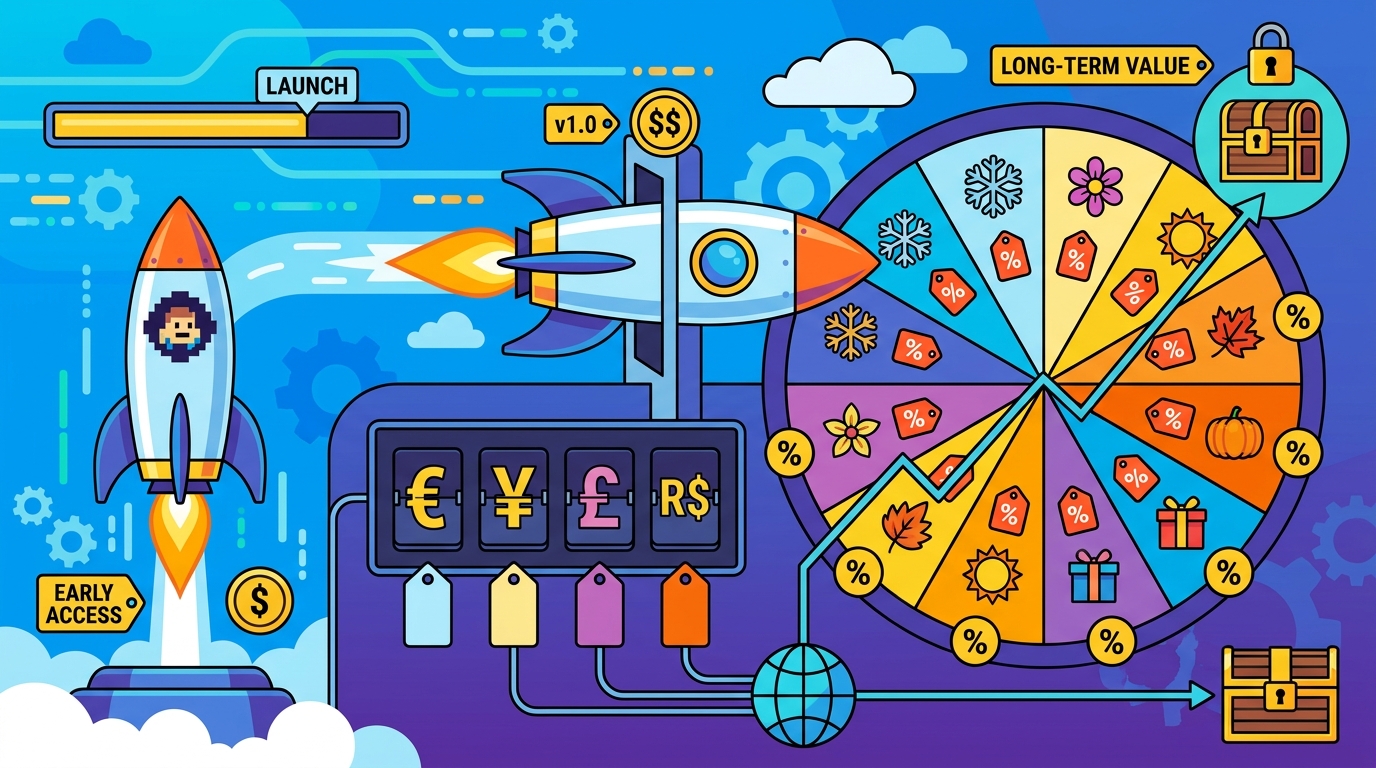
Steam rewards momentum, but pricing mistakes can permanently cap your ceiling.
A smart price + discount plan balances visibility (getting surfaced in Steam’s systems) with long-term demand (not training players to wait for 70% off).
This guide gives you a practical framework for setting a baseline price, planning Early Access to 1.0 changes, choosing launch discounts, building a 12-month cadence that respects Steam cooldown rules, and measuring what actually worked.
1) Set a baseline price: comps + value framing (not vibes)
Your baseline price is the anchor every discount will reference.
If it’s too low, you’ll struggle to fund updates and you’ll have less “room” for meaningful discounts later.
Step A: Build a comparable set (10–20 games)
Start with games that share your genre, scope, production quality, and audience, not just your tags.
Include both direct competitors and “next-step” aspirational comps that you could be compared to in reviews.
- Core similarity: same subgenre and loop (e.g., deckbuilder roguelite vs roguelite action).
- Content scope: campaign length, replayability, number of characters/maps/builds.
- Production signals: UI polish, animation quality, audio, localization.
- Market position: indie-to-AA, niche-to-mainstream appeal.
In GameTrowel, you can centralize competitor notes alongside Steam tag analysis and wishlist tracking so your pricing decisions stay tied to market reality.
Step B: Frame value using playtime and “meaningful hours”
Players don’t pay per hour, but they do compare perceived value.
Use a simple framing model: price per meaningful hour (PMH), where “meaningful” means curated content, progression, or high-quality replay loops.
- Narrative/linear: 6–12 meaningful hours can justify a mid-tier indie price if production quality is high.
- Roguelite/sandbox: 20–60+ meaningful hours can justify a higher baseline, but only if variety is real (not grind).
- Cozy/management: value often comes from depth and comfort; strong UX and content breadth matter more than raw hours.
Write down your “value proof” in one sentence (e.g., “A 10–15 hour story campaign with 3 endings and full controller support”).
This sentence becomes the backbone of your store copy, press kit bullets, and price-change messaging.
Step C: Choose a price tier that matches Steam expectations
Steam shoppers are used to price bands (e.g., $9.99, $14.99, $19.99, $24.99).
Pick the tier that best matches your comps and your value proof, then pressure-test it with two questions.
- Would a reviewer call this “fair” at full price? If not, your anchor is fragile.
- Can you discount without destroying your margin? If your plan needs 60% off to move units, the baseline is likely wrong.
2) Early Access vs 1.0 pricing: when to increase, and how to message it
Early Access pricing is a promise: players accept rough edges in exchange for a better deal and a voice.
Raising price at 1.0 can work well, but only if you can clearly show what changed.
When a price increase makes sense
- Content expansion: new chapters/biomes/classes that materially increase meaningful hours.
- Quality upgrades: major UI overhaul, performance improvements, controller support, accessibility.
- Completion: full narrative ending, achievements, localization, mod support, etc.
A common approach is: EA price slightly lower (reward early adopters), then increase at 1.0 once the product matches the “full game” expectation.
How to message an EA→1.0 price increase without backlash
Message the change as a milestone, not a cash grab.
- Announce early: 2–4 weeks before the increase.
- Show receipts: list concrete additions (e.g., “Act 3 + final boss + 40 new items + full localization”).
- Reward early buyers: “Buy before 1.0 to get the lower EA price.”
- Align with launch discount: consider a 1.0 launch discount so the new price doesn’t feel like a sudden jump.
GameTrowel’s landing pages and press kit generator help you present the “what’s new in 1.0” story consistently across your Steam page, email list, and outreach.
3) Launch discount sizing: visibility vs anchoring tradeoffs
Your launch discount is not just about short-term sales.
It sets an early reference price in players’ minds and influences how they behave in future sales.
What a bigger launch discount gets you
- Higher conversion: more wishlists convert at launch.
- Potentially more visibility: more sales velocity can help placement in charts and recommendation systems.
- More reviews sooner: which can improve store performance if sentiment is strong.
What a bigger launch discount costs you
- Lower revenue per wishlist: you’re monetizing your highest-intent audience at a lower price.
- Stronger anchoring: players learn “the real price” is the discounted one.
- Harder future pricing: you may feel forced into deeper discounts to recreate launch performance.
Practical guidance for solo devs and small studios
For many indies, a modest launch discount is a safer default, especially if you expect a long tail.
- 10%: light incentive; protects anchor; good if you already have strong demand.
- 15%: a balanced middle ground; common for premium indies.
- 20%: stronger conversion; higher anchoring risk; consider if you need velocity.
If you’re moving from Early Access to 1.0 with a price increase, a launch discount can soften the transition: new price, limited-time celebration discount.
Rule of thumb: If you need a huge discount to get attention, the issue is often positioning (tags, capsule art, trailer, page clarity) rather than price.
4) Build a 12-month discount cadence (and respect Steam cooldown rules)
Discounts are a schedule, not an improvisation.
Your goal in year one is to create predictable “beats” that capture different audiences without training everyone to wait for the lowest price.
Understand cooldown constraints (plan around them)
Steam applies restrictions around when you can discount, especially near release and after running a discount.
Because rules can change, always confirm current requirements in Steamworks, but plan with this mindset: you can’t discount constantly, and you should leave breathing room between promotions.
GameTrowel’s launch timeline planner is useful here: you can map beats and add reminders to verify Steam’s current cooldown rules before locking dates.
A practical year-one calendar (example)
Use this as a template and adapt to your release month and genre seasonality.
- Week 0: Launch / 1.0 release with 10–20% discount.
- Weeks 6–10: First post-launch beat (small update + 10–15%), only if allowed and if you have meaningful patch notes.
- Month 3–4: First major Steam sale you can join (seasonal or event) at 15–25%.
- Month 6: Mid-year event (e.g., Summer/Winter seasonal) at 20–30%, ideally paired with a content update.
- Month 9: Themed festival relevant to your genre (if applicable) at 20–30%.
- Month 12: Year-end seasonal sale at 25–40% depending on your long-tail strategy and how often you’ve discounted.
Notice the pattern: early discounts are lighter, and deeper cuts are earned later as your “newness” fades and you’ve built review volume.
Pair discounts with “reasons,” not just price cuts
Each discount should coincide with something that makes the game feel newly relevant.
- Content beats: new mode, biome, character, difficulty, mod tools.
- Quality beats: performance patch, Steam Deck verification, accessibility improvements.
- Community beats: creator tournament, community challenge, roadmap update.
GameTrowel’s media monitoring helps you see which beats actually get picked up on YouTube/TikTok/press so you can repeat what works.
5) Regional pricing: common pitfalls and how to sanity-check
Regional pricing can expand your reachable audience, but it can also create arbitrage and perception issues.
The goal is to be fair and sustainable, not to set the lowest possible number everywhere.
Pitfall A: Blindly accepting suggested conversions
Steam provides guidance, but exchange rates and local purchasing power shift.
Sanity-check your regional prices against your comps in those regions when possible.
Pitfall B: Large cross-region gaps that invite key reselling
If one region is dramatically cheaper than others, you may attract resellers or upset players who compare prices.
Keep an eye on extreme outliers and consider smoothing where it makes sense.
Pitfall C: Forgetting taxes/VAT and “psychological” endings
Players respond to familiar price endings in their currency.
Make sure your final displayed price feels intentional (not a weird conversion artifact) and that you understand how taxes affect the final amount.
Quick regional sanity-check checklist
- Compare 5–10 local comps: are you wildly above/below similar games?
- Check affordability: does your price land in a normal band for indie premium games there?
- Scan for outliers: any region 60–80% cheaper than your median without a clear reason?
- Document rationale: so you can explain changes later if needed.
6) Bundles, Deluxe editions, and DLC: protecting your base game price
DLC and bundles are pricing tools, not just content packaging.
They can increase average revenue per user without forcing you into deeper base-game discounts.
Deluxe edition strategy (simple and effective)
- Base game: stays clean and easy to buy.
- Deluxe: soundtrack, artbook, cosmetics, supporter pack.
- Pricing: make Deluxe a clear step up (e.g., +$5–$10 value), then discount Deluxe slightly less aggressively than base.
DLC timing considerations
Launching DLC near a sale can lift total revenue even if base-game units are flat.
But don’t use DLC as a substitute for finishing the base game—reviews will punish you.
Bundles and complete-the-set
Bundles can help you collaborate with adjacent devs or package your own catalog.
Use them strategically around major seasonal sales to increase cart size without racing to the bottom on base price.
7) Track outcomes: simple metrics that tell you what to change
After each discount beat, you should be able to answer: Did this sale create incremental demand, or did it just pull forward buyers who would have paid more later?
You don’t need a data science team—start with a few metrics you can compute every time.
Metric A: Revenue per wishlist (RPW)
Track how much revenue you generated during a period divided by the number of wishlists you had going into it.
This helps you compare sale beats apples-to-apples even when your wishlist count changes.
- RPW = period gross revenue / starting wishlists
Metric B: Conversion by discount tier
Log each discount level you run (10%, 15%, 20%, 30%, etc.) and the resulting unit sales and revenue.
Over time you’ll see your “sweet spot” where deeper discounts stop adding meaningful incremental volume.
- Record: discount %, units, gross revenue, net revenue, review volume, refund rate (if available).
Metric C: Lift vs baseline week
Compare sale week performance to an average non-sale week in the prior month.
This reveals whether your discount created true lift or just shifted purchases earlier.
What to adjust after each sale
- If revenue rises but reviews dip: your page might be overselling; fix store clarity before deeper discounts.
- If units rise but revenue is flat: discount may be too deep; test a smaller cut next time.
- If nothing moves: problem is likely visibility/positioning—capsule art, trailer hook, tags, or external traffic.
- If a creator spike happens: schedule the next discount around similar content beats and outreach.
GameTrowel’s analytics dashboard helps tie together wishlist movement, outreach results, and media mentions so you can attribute spikes to specific beats instead of guessing.
8) A simple pricing plan you can copy (fill-in template)
Use this as a starting point and refine after your first two sale cycles.
- Baseline price: $____ (chosen from comps + value proof)
- EA price (if applicable): $____ (____% below 1.0)
- 1.0 price change: increase on ____ date; announce ____ weeks prior
- Launch discount: ____% for ____ days
- Sale cadence: Month 3–4 ____%; Month 6 ____%; Month 12 ____%
- Regional pricing: sanity-check top 10 regions vs 5–10 local comps
- Post-sale review: RPW, conversion by tier, lift vs baseline, key learnings
Ready to streamline your Steam launch pricing plan?
Ready to streamline your game launch? GameTrowel brings pricing research, launch planning, outreach, monitoring, and analytics together in one platform — get started free.
Ready to launch your indie game?
GameTrowel gives you everything you need — landing pages, press kits, outreach tools, media monitoring, and more — all in one platform.