
Structured Steam Playtests: Turn Closed Beta Feedback into Prioritized Fixes and Store-Page Wins
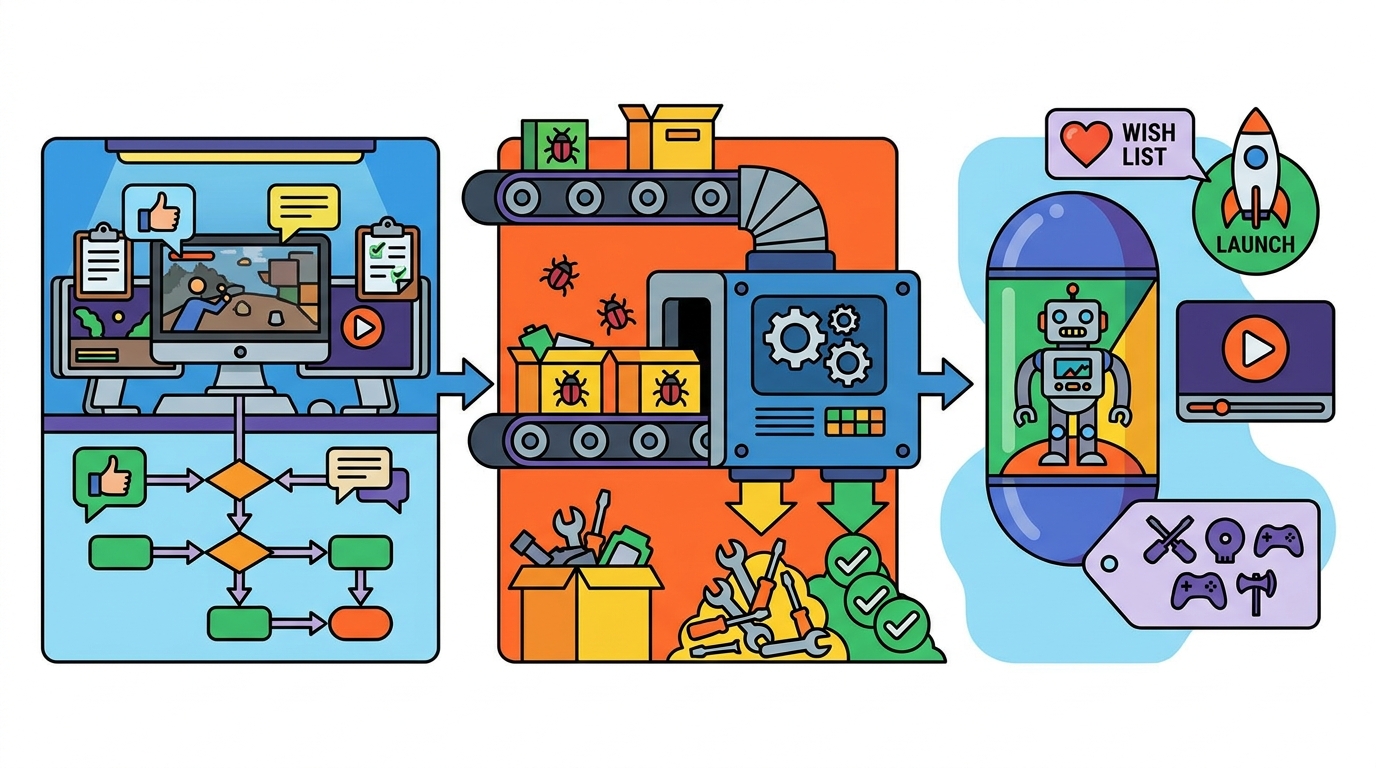
A Steam playtest or closed beta can do more than surface bugs—it can validate onboarding, pinpoint difficulty spikes, and even improve your store-page conversion through better tagging, capsule art, and trailers.
This guide shows a structured approach for small teams launching in 3–6 months: ethical recruitment, Steam setup, measurable goals, survey design, feedback coding, a triage rubric, and pre/post metrics you can actually track.
1) Recruit playtesters ethically (and get the right mix)
The best playtesters aren’t “everyone.” You want a representative slice of your target players plus a few outsiders who will reveal confusing assumptions.
Ethical recruitment means clear expectations, informed consent, privacy respect, and not disguising marketing as research.
Where to recruit (Discord, mailing list, micro-influencers)
- Discord: Great for fast iteration, but can over-represent your most invested fans. Use role-based channels and time-boxed test windows to avoid endless back-and-forth.
- Mailing list: Higher signal-to-noise than social. Segment by platform/genre interest and invite in waves to control volume.
- Micro-influencers (100–10k followers): Useful for “fresh eyes” and for store-page learnings (what they say your game is, which often reveals tagging/trailer issues). Offer access and credit, not cash-for-positive-coverage.
Ethical guidelines you should state up front
- Confidentiality: Is sharing allowed? If not, say so clearly (and keep it reasonable—players hate overly legal NDAs).
- Data: What you collect (crash logs, survey answers, playtime), how you’ll use it, and how long you’ll keep it.
- Compensation: If you give keys, credit, or merch, state it. Avoid “review for key” language.
- Accessibility and safety: Provide a way to report harassment in your Discord and moderate actively.
GameTrowel helps here by letting you embed mailing list signup forms on a genre-themed landing page, manage key requests, and keep outreach organized alongside your playtest timeline.
2) Steam Playtest vs beta branches: choose the right tool
Steam gives you multiple ways to distribute test builds. Picking the right one keeps your test controlled and your data clean.
Steam Playtest (recommended for structured rounds)
- Pros: Separate app ID, easy opt-in request flow, you can approve testers in batches, and it won’t permanently “grant” the game.
- Best for: Time-boxed tests, onboarding validation, retention checks, and trailer/tag experiments where you want clean before/after comparisons.
- Watch for: Managing waves—approve too many at once and you’ll drown in feedback without capacity to respond.
Beta branches (good for ongoing iteration)
- Pros: Ideal for existing owners/community; easy to keep an “experimental” branch for quick fixes.
- Best for: Technical testing (performance regressions), balance tweaks, and long-running community builds.
- Watch for: Messier data—players self-select and may not represent new-user onboarding.
If your goal is “new player first 30 minutes,” Steam Playtest is usually the cleaner choice. If your goal is “validate patch stability,” beta branches shine.
3) Define 3–5 test goals (and make them measurable)
A playtest without explicit goals becomes a suggestion box. Pick a small set of outcomes you can measure and act on in 1–2 week cycles.
Recommended goal set for a 3–6 month runway
- Onboarding: Can players reach the core loop quickly and understand the objective without Discord help?
- Difficulty spikes: Where do players fail repeatedly or quit after a loss?
- Performance & stability: FPS targets, load times, crash rate, and hardware-specific issues.
- Retention proxy: Do players come back for a second session within 48 hours?
- Store-page clarity: After playing, can they accurately describe the genre and “why it’s fun” in one sentence?
Each goal should map to at least one metric and one qualitative question. Otherwise you’ll collect opinions you can’t prioritize.
4) Instrument the test: short in-game surveys + exit surveys
Surveys work best when they’re brief, timed, and tied to moments. Don’t ask players to remember how onboarding felt after three hours.
In-game micro-surveys (1–2 questions, 10 seconds)
- After tutorial: “I understand what to do next.” (1–5)
- After first death/failure: “That felt fair.” (1–5)
- After first upgrade/shop: “I understand how builds/items work.” (1–5)
Keep them skippable and never more than once every 10–15 minutes. Your goal is trend data, not a dissertation.
Exit survey (2–4 minutes, high leverage)
Trigger it when players quit or after a session ends. If you can’t do that, link it in your Playtest “Thank you” message and in-game menu.
- Quant: satisfaction, clarity, difficulty, likelihood to wishlist, likelihood to recommend.
- Qual: “What confused you?”, “What delighted you?”, “What would you change first?”
- Store-page alignment: “What tags describe this game?” and “What did you expect vs what you got?”
GameTrowel’s analytics and content tools can help you keep survey links consistent across your landing page, Steam announcements, and scheduled social posts during each test wave.
5) Turn qualitative feedback into themes (so it becomes actionable)
Raw feedback is noisy. The goal is to translate it into a small set of themes you can prioritize and verify.
Simple coding workflow for small teams
- Collect: Discord threads, survey responses, bug forms, and recorded sessions.
- Normalize: Put everything into one spreadsheet/table with columns for build version, playtime, hardware, and “quote.”
- Code: Assign 1–3 tags per item (e.g., Onboarding-Clarity, Combat-Readability, Difficulty-Spike-Boss1, Performance-GPU).
- Count + cluster: Look for repeated pain points and “high emotion” moments (rage quits, confusion loops, delight).
Don’t over-engineer. A lightweight theme list of 12–20 codes is enough for most indie playtests.
6) Prioritize fixes with a triage rubric (impact/effort/risk)
Once you have themes, you need a consistent way to decide what ships before launch. A triage rubric prevents “the loudest feedback wins.”
Triage rubric (score each 1–5)
- Impact: How much will this improve the target metrics (completion, retention, wishlist intent)?
- Effort: Dev time + QA time + content time (higher = harder).
- Risk: Chance of regressions, balance breakage, scope creep, or delaying marketing beats.
A practical formula: Priority Score = Impact × Confidence ÷ (Effort + Risk). Confidence is 1–5 based on evidence (repro steps, frequency, recordings).
What to fix first (typical “highest ROI”)
- Onboarding blockers: Anything that prevents players from reaching the core loop within 10–15 minutes.
- Readability issues: UI clarity, enemy telegraphs, feedback on hits/damage.
- Crashes and hard performance cliffs: Especially on common GPUs/CPUs.
- Expectation mismatches: If players say “I thought this was X,” that’s often a tagging/capsule/trailer problem—not a gameplay problem.
GameTrowel’s launch timeline planner is useful here: you can assign each fix to a wave, attach evidence, and keep marketing tasks (capsule/trailer updates) aligned with build milestones.
7) Connect playtest findings to store-page improvements
Playtests are a goldmine for store-page optimization because they reveal how players describe your game in their own words.
Tagging: use player language + competitor reality
- From surveys, collect the top 10 “player-proposed tags.”
- Compare against your intended positioning and competitor tags.
- Adjust tags to reduce mismatch (e.g., players say “tactics” but you’re tagged “action”).
With GameTrowel’s Steam tools (tag analysis and competitor research), you can sanity-check whether your updated tag set matches what similar games rank for—and avoid niche tags that don’t drive traffic.
Capsule art: test comprehension, not just aesthetics
- Ask: “In one sentence, what kind of game is this based on the capsule?”
- Track misclassification rate (e.g., “I thought it was a roguelike deckbuilder”).
- Iterate toward clearer genre cues: camera angle, character scale, UI hints, tone.
Trailers: map moments to your test goals
- If onboarding is weak, your trailer must show the core loop faster and more clearly.
- If difficulty spikes cause churn, show progression power-ups and readable combat beats.
- If performance is a concern, avoid footage that implies a smoother experience than you can deliver.
A practical method: build a “trailer claim list” (3–5 promises) and verify each promise against playtest evidence.
8) Communicate changes back to testers (and increase retention)
Players give better feedback when they see it used. Closing the loop also increases the chance they’ll wishlist and tell friends.
How to close the loop
- Patch notes for testers: Short, specific, and tied to their reports.
- Changelog highlights: “You said X was confusing—here’s what we changed.”
- Next-wave goals: Tell them what to focus on so feedback stays structured.
Tip: Always include the build number in your Discord announcement and surveys. Versioning is the difference between actionable feedback and archeology.
9) Track pre/post metrics that prove improvement
To know whether fixes worked, compare metrics across waves. Keep your wave size and recruitment channel mix as consistent as possible.
Core metrics to track (before vs after)
- Demo/playtest completion rate: % reaching a defined milestone (e.g., beat tutorial boss, finish run 1).
- Session length: Median minutes per session; also track the 25th percentile to catch early churn.
- Second-session rate (48h): A retention proxy for short tests.
- Wishlist intent: Survey question + (if possible) observed wishlist rate from Steam traffic periods.
- Review intent: “If this launched today, how likely are you to leave a positive review?” (1–10) and why.
Also track store-page metrics during trailer/capsule changes: impressions → visits, visit → wishlist conversion, and follower growth.
GameTrowel’s analytics dashboard can help you tie together campaign timing (announcements, creator posts) with Steam wishlist changes and media mentions, so you can see which wave changes actually moved the needle.
Templates you can copy/paste
Template 1: Playtest invite message (Discord/email)
Subject: Want to join our structured Steam Playtest? (2–3 hours, feedback welcome)
Hey [Name]—we’re running a time-boxed Steam Playtest for [Game Title] from [Start Date] to [End Date]. We’re specifically testing [Goal 1], [Goal 2], and [Goal 3].
What you’ll do: play ~[120] minutes across 1–2 sessions, then fill a short exit survey (3–4 minutes). Optional: report bugs using our form.
Sharing/streaming: [Allowed / Not allowed until date X]. Data: we collect basic gameplay metrics and your survey answers to improve the game. We won’t sell your data.
If you’re in, request access here: [Steam Playtest Link]. After you play, please complete: [Survey Link].
Thanks—every fix we ship will credit the playtest community in our notes.
—[Your Name/Studio]
Template 2: Exit survey questions (keep it short)
- How clear was your next objective after the tutorial? (1–5)
- How fair did the difficulty feel? (1–5) If low, where did it spike?
- How was performance on your machine? (1–5) Any stutters, long loads, or crashes?
- What was the most confusing moment? (free text)
- What was the most fun moment? (free text)
- Which 3–5 Steam tags best fit this game? (free text)
- After playing, how likely are you to wishlist? (1–10) What’s the main reason for your score?
- If this launched today, how likely are you to leave a positive review? (1–10) What would need to change?
Template 3: Bug report form (Discord pin or Google Form)
- Build number: [e.g., 0.6.3p]
- Steam Playtest or beta branch? [Playtest / beta-name]
- Issue type: [Crash / Softlock / Visual / Audio / UI / Balance / Performance / Other]
- What happened? (1–2 sentences)
- Steps to reproduce: (numbered list)
- What did you expect? (1 sentence)
- Frequency: [Once / Sometimes / Always]
- Severity: [Blocker / Major / Minor / Cosmetic]
- System info: OS, CPU, GPU, RAM, controller type
- Attachments: screenshot/video, player.log, crash dump (if available)
Template 4: One-page playtest brief (send to testers)
[Game Title] – Playtest Brief (Wave [#])
- Test window: [Dates + timezone]
- Build: [Version] | Platform: [Windows/Steam Deck/etc.]
- Time commitment: [90–150 minutes] across [1–2 sessions]
- Primary goals (this wave):
- [Goal 1: Onboarding clarity to core loop within 15 minutes]
- [Goal 2: Identify difficulty spikes in Zone 2 / Boss 1]
- [Goal 3: Performance on mid-range GPUs (target 60 FPS)]
- How to give feedback:
- Exit survey: [Link]
- Bug reports: [Link]
- Discord channel: #[channel-name] (please include build number)
- Streaming/sharing policy: [Allowed/Not allowed + details]
- Known issues: [List top 3 so testers don’t spam duplicates]
- Success criteria: [e.g., 70% reach milestone X, median session 35+ min, onboarding clarity 4.0/5]
Putting it all together: a simple 3-wave schedule
- Wave 1 (Week 1–2): Onboarding + core loop clarity. Fix blockers fast.
- Wave 2 (Week 3–4): Difficulty spikes + balance + readability. Update trailer beats to match the refined loop.
- Wave 3 (Week 5–6): Performance + polish + store-page alignment (tags/capsule/trailer). Measure wishlist intent lift.
Between waves, publish a short “You said / We did” update and recruit a fresh slice of testers to keep the data honest.
Ready to run your playtest like a launch rehearsal?
Ready to streamline your game launch? GameTrowel brings landing pages, press kits, outreach, Steam tools, scheduling, surveys, and analytics into one platform—get started free.
Ready to launch your indie game?
GameTrowel gives you everything you need — landing pages, press kits, outreach tools, media monitoring, and more — all in one platform.