
Lightweight UTM + Dashboard Attribution for Steam Launches (No Data Engineer Needed)
What you’ll measure (and what you won’t)
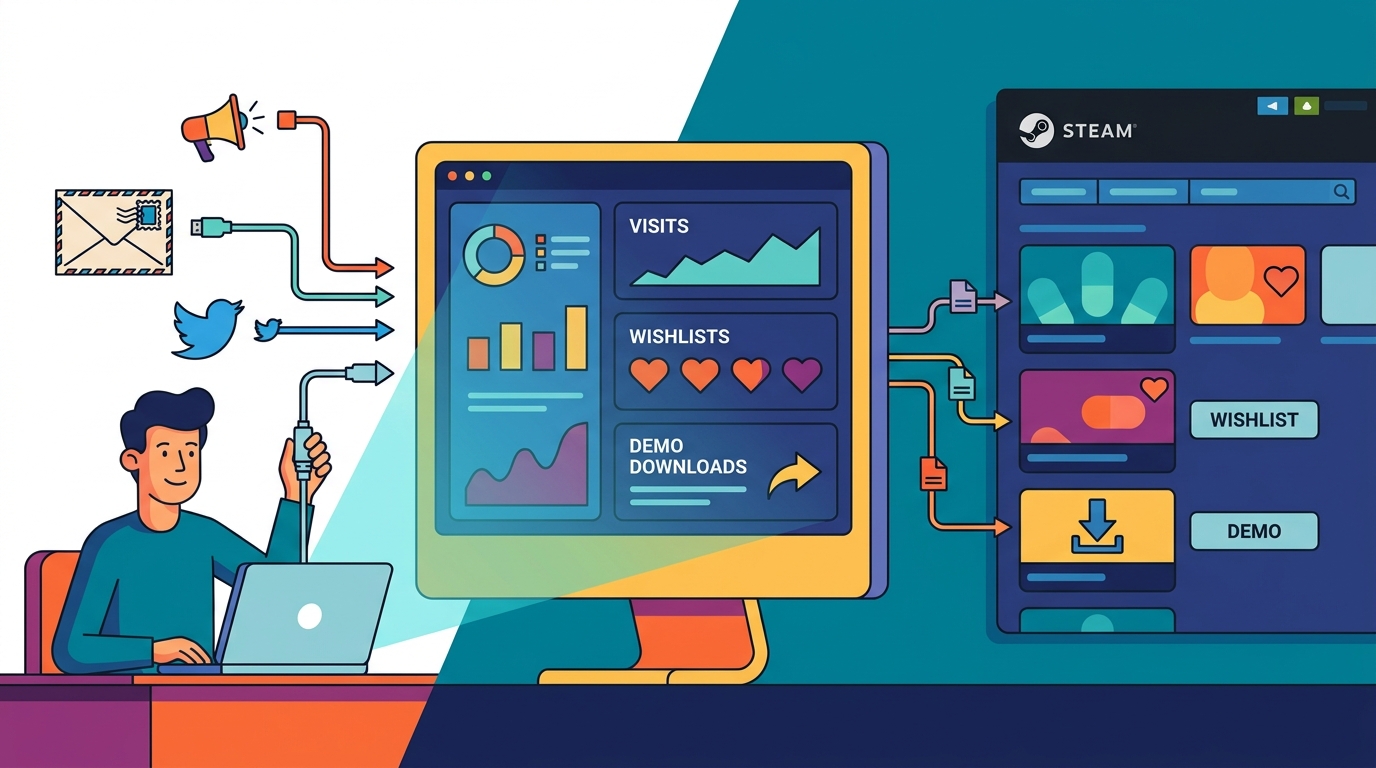
Your goal isn’t “perfect attribution.” It’s consistent, decision-grade tracking that tells you which efforts reliably correlate with Steam page visits, wishlists, and demo downloads.
This tutorial sets up a lightweight system using UTMs + a link shortener + a simple dashboard, then shows how to reconcile it with Steam’s Traffic Breakdown so you can make weekly keep/cut decisions.
- Best for: solo devs and small studios running multi-channel marketing
- Works with: creator emails, Reddit, TikTok, Steam events, newsletters, demo updates, key drops
- Not perfect for: dark social shares, Steam client quirks, influencer repost chains
Step 1: Pick one canonical “Steam destination” per campaign
Decide what each push is trying to do: drive wishlists, demo downloads, or event awareness. Then link to the Steam URL that best matches that intent.
- Wishlist push: base store page URL
- Demo push: store page (demo downloads happen there), optionally with copy that says “Download the demo”
- Steam event push: event page URL (then link to store page from the event)
Rule: don’t mix multiple Steam destinations in the same micro-campaign unless you’re intentionally A/B testing. Otherwise, you’ll blur the signal.
Step 2: Use a concrete UTM naming convention (copy/paste)
UTMs are only useful if you can aggregate them later. The biggest win is a strict, boring convention everyone follows.
Recommended UTM schema
Use five parameters consistently: utm_source, utm_medium, utm_campaign, utm_content, and optional utm_term.
- utm_source = platform or partner (tiktok, reddit, newsletter, steam, creatorname)
- utm_medium = channel type (social, community, email, creator, event, paid)
- utm_campaign = your internal campaign slug (2026-06-demo-update, 2026-07-nextfest, 2026-08-launch)
- utm_content = the specific asset/post (post1, trailerA, devlog5, email1, keydrop1)
- utm_term (optional) = targeting or variant (hookA, hookB, subredditname)
Concrete examples for your channels
Creator email outreach link (unique per creator):
https://store.steampowered.com/app/123456/YourGame/?utm_source=creator_janeplays&utm_medium=creator&utm_campaign=2026-06-demo-update&utm_content=pitch1
Reddit post in r/IndieGaming:
https://store.steampowered.com/app/123456/YourGame/?utm_source=reddit&utm_medium=community&utm_campaign=2026-06-demo-update&utm_content=post1&utm_term=r_indiegaming
TikTok bio link for Trailer A:
https://store.steampowered.com/app/123456/YourGame/?utm_source=tiktok&utm_medium=social&utm_campaign=2026-06-demo-update&utm_content=trailerA
Newsletter send #12:
https://store.steampowered.com/app/123456/YourGame/?utm_source=newsletter&utm_medium=email&utm_campaign=2026-06-demo-update&utm_content=send12
Steam event announcement shared externally:
https://store.steampowered.com/news/app/123456/view/XXXXXXXX?utm_source=twitter&utm_medium=social&utm_campaign=2026-06-demo-update&utm_content=eventpost1
Formatting rules (so your data doesn’t fragment)
- Lowercase only, use underscores, no spaces
- Date-prefix campaigns: YYYY-MM-purpose
- Never put “Steam” as utm_source when linking to Steam; Steam is the destination
- Make utm_content the unique identifier you’ll search later (post number, creator name, email send)
Step 3: Add link shortener rules (to keep UTMs intact)
Steam links with UTMs get long, and creators often prefer clean URLs. Use a short link that redirects 301/302 without stripping query parameters.
Shortener rules
- Create one short link per distribution unit (per creator, per post, per newsletter send)
- Short link slug mirrors your UTM identifiers: /c/creator_janeplays_pitch1 or /r/demo_update_post1
- Never reuse the same short link for multiple posts “because it’s easier”
- Keep a “link registry” spreadsheet row for every short link you generate
If you’re using GameTrowel, you can centralize these tracked links inside your launch workspace alongside outreach and scheduling, so the same UTM convention is applied everywhere.
Step 4: Build a simple spreadsheet template (your source of truth)
You don’t need a warehouse. You need a link registry plus a weekly rollup. Here’s a minimal structure that works.
Sheet A: Link Registry (one row per tracked link)
- Date created
- Channel (Creator, Reddit, TikTok, Newsletter, Steam Event)
- Owner (you / teammate)
- Destination (Steam store page / Steam event page)
- Short URL
- Full URL (with UTMs)
- utm_source, utm_medium, utm_campaign, utm_content, utm_term
- Post/Send date
- Notes (hook used, subreddit, creator audience, etc.)
Sheet B: Weekly Metrics (manual entry, 10 minutes)
- Week starting
- utm_campaign
- Channel group (creator/community/social/email/steam)
- Clicks (from shortener)
- Steam page visits (Steam Traffic Breakdown relevant line)
- Wishlists added (Steam wishlists that week; note: not source-attributed)
- Demo downloads (Steam demo installs/downloads if available)
- Key events (demo update, festival, viral post)
Optional: add a column for “Cost (time)” in minutes. This is how you identify high-leverage channels when you’re the whole marketing team.
Step 5: Create a lightweight Looker Studio dashboard (or keep it in Sheets)
If you want a dashboard, keep it simple: one page for traffic and one for outcomes. Don’t build charts you won’t look at weekly.
Looker Studio layout (simple template)
- Scorecards: total clicks (shortener), total Steam visits, wishlists added, demo downloads
- Table: by utm_campaign + channel group (clicks, visits, wishlist delta, demo downloads)
- Trend chart: weekly clicks vs Steam visits (two lines)
- Top performers: utm_content (best individual posts/creators)
If you use GameTrowel’s analytics dashboard, you can often skip the custom Looker build and instead standardize your UTMs and reporting inside one view that ties outreach, social scheduling, and Steam tracking together.
Step 6: Reconcile Steam Traffic Breakdown with external analytics
This is where most indie setups fall apart. Steam doesn’t behave like a normal website, and “UTM in = UTM out” isn’t always true.
What Steam gives you
In Steamworks, check Traffic Breakdown and related store traffic reports. You’ll typically see categories like external traffic, internal Steam traffic, and sometimes breakdowns by referrer type.
How to reconcile (practical method)
- Use the shortener as your click truth: it tells you how many people clicked your tracked link.
- Use Steam as your visit truth: it tells you how many store page visits you got in the same window.
- Compare directionally, not 1:1: clicks will often be higher than Steam visits due to bots, double-clicks, blocked Steam loads, or the Steam client opening behavior.
- Align time windows: pick a consistent weekly window (e.g., Monday–Sunday) and always report in that window.
In your Weekly Metrics sheet, add a note when you see divergence (e.g., “TikTok clicks spiked but Steam visits didn’t—likely in-app browser drop-off”). That note becomes your next month’s optimization backlog.
Step 7: Tag creator outreach links and key drops correctly
Creators are special because you need per-creator attribution and you also need to track keys sent versus coverage posted.
Per-creator link tagging
- utm_source = creator_handle (creator_janeplays)
- utm_medium = creator
- utm_campaign = the beat (2026-06-demo-update)
- utm_content = the outreach wave or asset (pitch1, followup1, keydrop1)
Key drop tracking (link + key workflow)
When you send keys (demo, playtest, full game), include a tracked link in the email and log the key action in your registry.
- Add a Key batch ID column (batch_2026_06_01)
- Add a Key type column (demo/full/playtest)
- Add a Status column (requested/sent/redeemed/covered)
GameTrowel helps here by combining press outreach, creator contact management, and key distribution/request tracking so you can connect “sent key” → “posted coverage” → “tracked link clicks” without juggling tools.
Common attribution pitfalls (and how to handle them)
Dark social (copy/paste shares, DMs, Discord)
People will copy your Steam link and share it without UTMs, or share screenshots that lead to organic searching later. Expect some lift to show up as “direct” or “unknown” equivalents.
- Mitigation: put your short link (not raw Steam URL) in places people copy from (pinned posts, video descriptions, newsletter).
- Reporting: treat dark social as “halo.” Measure it via overall baseline lift during the campaign window.
Steam client vs web behavior
Some clicks open the Steam client, some open a browser, and some environments strip referrers. UTMs may not always be visible in Steam’s reporting the way you’d expect from normal web analytics.
- Mitigation: rely on shortener clicks for per-post granularity and Steam visits for outcome trends.
- Tip: keep one primary CTA link per post so you don’t split clicks across variants you can’t reconcile.
Multiple links in one post
If you include your Steam link, your website link, and a Linktree, you’ll lose attribution clarity fast.
- Mitigation: one primary tracked link per post; secondary links only when necessary.
Reusing UTMs across different posts
If every Reddit post uses utm_content=post, you can’t learn what worked.
- Mitigation: increment utm_content (post1, post2) or embed the hook (post2_hookA).
Weekly 30-minute reporting routine (repeat/cut decisions)
This routine is designed for consistency. Do it the same day each week, and you’ll build a usable dataset by the time launch hits.
0–10 minutes: Collect numbers
- Export/record clicks per short link (top 10 links + totals by channel)
- Open Steamworks and record store page visits and relevant traffic notes for the same week
- Record wishlists added and demo downloads for the week
10–20 minutes: Update your Weekly Metrics rollup
- Group by utm_campaign and channel group
- Add notes for anomalies (big spike, no conversion, festival week, creator posted late)
- If a creator posted, log coverage date next to their link row
20–30 minutes: Make next month’s keep/cut list
- Repeat: channels with consistent click → visit correlation and observable wishlist/demo lift during their weeks
- Fix: channels with clicks but weak Steam visits (improve CTA, landing context, or destination URL)
- Cut: high-effort channels that show neither clicks nor measurable lift over 3–4 weeks
Write one sentence per channel: “Next month we will do X twice, stop Y, and test Z.” Put it into your launch timeline so it becomes execution, not a forgotten report.
Putting it all together with GameTrowel
A lightweight attribution system works best when it’s attached to your actual workflow: outreach, social posting, Steam beats, and reporting.
GameTrowel helps by generating consistent UTM links, organizing creator outreach and key requests, monitoring media mentions, and tying performance into an analytics dashboard so you spend less time wrangling tabs and more time iterating on what works.
Call to action
Ready to streamline your game launch? GameTrowel brings all these tools together in one platform — get started free.
Ready to launch your indie game?
GameTrowel gives you everything you need — landing pages, press kits, outreach tools, media monitoring, and more — all in one platform.